OpenEvidence
- 4.9
- Rating
- 500.00K
- Installs
- Free
- Price

 Analysis by App-foxy
OpenEvidence is a medical app from OpenEvidence that I would approach differently from an ordinary health-information tool. Its purpose is to provide answers at the point of care, and access requires an NPI. That immediately places it closer to a professional reference aid than to a general symptom checker or a patient-facing wellness app. In my experience, that distinction matters more than the polished simplicity of the store page: the app is aimed at people who already work within a clinical setting and need focused information while making sense of a question.
The app is free, rated for Everyone, and supports Android 7.0 or later. It has reached over one hundred thousand installs and holds a 4.9 average from around three thousand ratings, which suggests strong interest among the people who can use it. It was released on October 1, 2024, and the current version is 2.8.20. Those details make it easy to try, but they should not be confused with proof that every answer is suitable for every patient or every clinical decision.
What it feels like to use a point-of-care medical reference
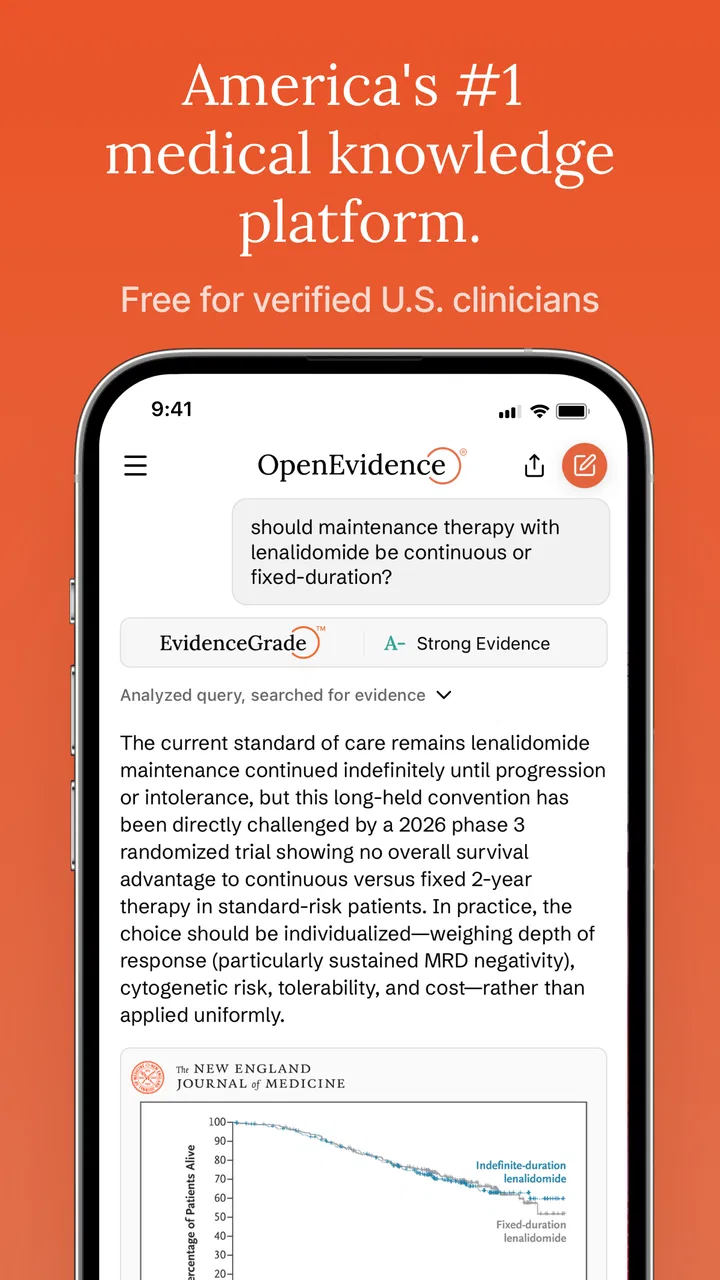
The most useful way to think about OpenEvidence is as a question-driven companion. Instead of browsing through a large medical database and manually assembling an answer, I can approach a clinical topic in ordinary language and use the response as a starting point for checking the relevant evidence. That is a meaningful difference from a conventional reference book or a search engine, where the quality of the result depends heavily on choosing the right terms before searching.
You May Also Like

 Blood Strike: 2.5 Anniversary
Blood Strike’s Loadouts Turn Every Drop Into a Tactical Gamble
A close look at Blood Strike’s custom loadouts: how fast access to signature weapons reshapes its battle royale rhythm, rewards preparation, and narrows the gap between fights.

 Pandora - Music & Podcasts
Pandora’s Music Is Easy to Start, but Harder to Recover
Pandora’s strength is its low-effort path from a seed to a station. Its weak spot is how much confidence it asks you to place in connection, setup, and quiet recovery.

 8 Ball Pool
 Is Built on Rivalries, Rematches, and Routine
A close look at the rivalries, rematches, shared routines, and unanswered safety questions that turn a quick pool match into a persistent mobile community.

 Samsung Music
’s Quiet Strength Is Playing What You Already Own
Its reach comes less from spectacle than from dependable access to a personal library. That simplicity is both the app’s strongest retention engine and its ceiling.

 AccuWeather: Weather Radar
AccuWeather Review: A Quick, Clear Forecast for Everyday Decisions
For everyday plans, the best forecast is the one you can understand quickly. AccuWeather makes rain timing, radar, and local conditions easy to act on, with a few trade-offs.

 Hill Climb Racing
Why Hill Climb Racing Still Turns Crashes Into One More Run
A tiny car, a bumpy hill and one more upgrade: Hill Climb Racing keeps resurfacing because its simple chaos makes every near-miss feel personal.
More From Our News Desk



That convenience is also the app’s central trade-off. A concise answer can help me orient myself quickly, but speed can make information feel more settled than it really is. Medical decisions often depend on patient history, examination findings, laboratory results, contraindications, local protocols, and the quality of the underlying evidence. I would therefore use the response to frame the next question, locate the important considerations, or prepare for a deeper review—not as a substitute for professional judgment.
The NPI requirement is an important trust signal in context. It narrows the intended audience and reduces the chance that the app will be mistaken for a casual diagnosis tool. At the same time, having an NPI does not turn an answer into a prescription or guarantee that the app fits every specialty. A clinician still needs to decide whether the question is within their scope and whether the answer has enough detail for the situation in front of them.
Where the app can save time
A realistic use case would be a clinician between appointments who wants a quick orientation to a treatment question before opening a more detailed reference. I might ask about a differential diagnosis, a guideline-related issue, or the factors that should be considered before choosing between options. The value is not only the first response. The real benefit comes from using that response to identify missing details and then deciding what deserves verification in a trusted source.
I find this workflow more practical than typing a broad medical phrase into a general search engine. General search results often mix professional literature, commercial pages, patient education, and outdated material. OpenEvidence is designed around the point-of-care context, so it is more naturally aligned with a clinician’s immediate question. Still, I would not abandon a specialty database, institutional protocol, drug reference, or primary paper when the decision is high risk or unusually specific.
One useful habit is to treat the first answer as a map rather than a conclusion. After reading it, I would ask a narrower follow-up that includes the patient factor most likely to change the recommendation, such as kidney function, pregnancy, age, comorbidity, or a previous treatment response. This does not make the app infallible, but it can make the interaction more clinically disciplined than accepting a broad answer at face value.
Trust depends on what I can verify
OpenEvidence earns some initial confidence from its focused audience, its medical purpose, and the fact that it comes from a named developer rather than an anonymous utility. Its strong rating and growing install base also show that many users find it worthwhile. I see those signals as evidence of usefulness, not as evidence that every response is correct. In healthcare, trust has to remain conditional and active.
The most important question for me is whether I can understand why an answer should be trusted. When using a medical answer service, I want to know what supports the conclusion, how current the evidence is, and whether the wording distinguishes established guidance from uncertainty. If a response is too compressed to inspect, I would move to a more traditional source before acting. The app is most valuable when it helps me reach that source efficiently rather than encouraging me to stop searching.
I also pay attention to the boundary between a useful summary and an apparently authoritative instruction. A response that lists considerations is safer to work with than one that sounds like a universal command. Clinical context changes the meaning of otherwise reasonable advice, so I would be cautious whenever an answer appears to remove the need for interpretation.
Account access and personal control
The NPI gate is both helpful and limiting. It tells prospective users that OpenEvidence is not intended as a public patient app, and it prevents the product’s positioning from becoming blurred with general health advice. For an eligible professional, however, the sign-in step is still part of the trust experience. I would want to understand what account information is required, how access is maintained, and what controls exist if I stop using the service.
Those are not minor administrative details. A medical tool may be used during busy shifts, on shared devices, or while switching between work and personal accounts. Before relying on it regularly, I would review the visible sign-in, sign-out, and account-management choices rather than assuming that a free app has no meaningful privacy considerations. I would also avoid entering identifiable patient information unless the app clearly explains that such use is supported and protected.
That last point is especially important. A question can become sensitive even when it does not include a name. Unusual diagnoses, rare combinations of conditions, dates, locations, and treatment details can make a person recognizable in a small practice. My practical rule would be to phrase questions around the clinical issue and remove unnecessary identifiers. If the question cannot be safely anonymized, I would use an approved institutional system or a reference workflow with explicit privacy controls instead.
Handling sensitive moments responsibly
The app is likely to be most tempting when time is short and the stakes are high. That is precisely when I would slow down enough to verify the answer. An emergency, a medication interaction, a vulnerable patient, or a decision involving an unusual presentation deserves more than a quick generated explanation. In those situations, I would consult the relevant local policy, specialist advice, authoritative drug information, or original evidence as appropriate.
This is not a criticism unique to OpenEvidence; it is a general risk of convenient answer interfaces. The easier it is to ask a question, the easier it is to overlook what was not included in the question. A good workflow is to write down the clinical decision I am actually making, then check whether the response addresses that decision or merely discusses the topic broadly. If it does not address the decisive patient-specific factors, it has not finished the job.
I would also be careful with patient communication. OpenEvidence is not the tool I would hand to a patient and ask them to interpret independently, even though its content rating is Everyone. That age label describes general app access, not clinical suitability for self-diagnosis. A patient may need plain-language education, shared decision-making, and advice tailored by a qualified professional rather than a professional reference answer presented without context.
Three workflows that make the tool more useful
First, I would use it before a deeper literature search to build a checklist. If the initial response identifies several possible explanations or management factors, I can turn those into targeted searches instead of wandering through unrelated results. This is a time-saving use that preserves professional control: the app organizes the problem, while the final verification comes from sources appropriate to the decision.
Second, I would use it after a consultation to test my own blind spots, not to justify a decision already made. Asking about alternative explanations or exceptions can reveal a factor I failed to consider. The trade-off is that the answer may create additional work, because every new possibility needs to be judged for relevance. That is still worthwhile when the aim is safer reasoning rather than a quick confirmation.
Third, I would separate broad orientation from final documentation. A point-of-care answer may help me understand a topic, but I would not assume it automatically supplies the wording, citation trail, or patient-specific rationale needed for a clinical record. I would document the reasoning and sources required by my workplace and professional standards, rather than treating the app’s response as a complete record.
Who should use it, and who should skip it?
OpenEvidence is a good fit for eligible healthcare professionals who want a fast way to explore medical questions and who are comfortable checking answers against established references. It may be especially useful for clinicians who regularly move between cases and need a quick orientation before consulting a guideline, formulary, specialist, or paper. Students and trainees may also find the question-based format useful, provided they use it as a learning aid and discuss uncertain answers with supervisors.
I would skip it if I were looking for a public symptom checker, a medication reminder, a personal health tracker, or a patient education library. The NPI requirement alone makes it unsuitable for someone who simply wants to search a symptom at home. I would also choose a different tool when I need a fully documented literature search, detailed interaction checking, institution-specific protocols, or a source that is designed for formal evidence appraisal.
The free price lowers the barrier to testing it, but it does not remove the need to evaluate the workflow. A free medical app can still cost time if answers require extensive correction, or create risk if users treat summaries as final instructions. I would install it, try several representative questions, and judge whether the responses consistently help me reach better sources and clearer decisions.
My cautious verdict
OpenEvidence is a focused medical reference app with a sensible point-of-care purpose. I like the professional access boundary, the direct question format, and the possibility of using it to turn a vague clinical problem into a more organized research task. Its 4.9 average and more than one hundred thousand installs show that it has attracted substantial attention, but those numbers should support curiosity rather than replace scrutiny.
My recommendation is conditional: use OpenEvidence as a fast clinical starting point, never as the final authority. Keep patient information minimized, inspect the available account choices, and avoid entering identifiable details unless the service explicitly supports that workflow. For routine orientation, it can be genuinely helpful. For high-stakes, unusual, or patient-specific decisions, I would pair it with the sources and professional consultation that the situation requires.
In short, I would recommend trying it to a qualified colleague who wants a quicker first pass through a medical question. I would not recommend treating it as a replacement for clinical training, institutional guidance, or careful evidence review. Its strongest quality is convenience with a professional focus; its main weakness is the temptation to mistake a convenient answer for a complete one. Used with that distinction in mind, OpenEvidence is a useful addition to a clinician’s toolkit rather than a shortcut around clinical responsibility.
FAQs for OpenEvidence
01What is OpenEvidence and what does it do?
OpenEvidence is an app designed to help users collect, organize, and share digital evidence efficiently. Whether you're a legal professional or someone dealing with documentation, it simplifies the process by allowing you to capture photos, videos, and audio clips, and store them securely with metadata for easy retrieval.
02Is OpenEvidence available for both Android and iOS devices?
Yes, OpenEvidence is available for download on both Android and iOS platforms. You can find it on the Google Play Store for Android users and the Apple App Store for iOS users, ensuring accessibility across a wide range of smartphones and tablets.
03How secure is my data within OpenEvidence?
OpenEvidence prioritizes your data's security by employing end-to-end encryption. This ensures that all your collected evidence, including photos, videos, and audio files, is securely stored and accessible only by you. Additionally, the app provides options for secure cloud backups.
04Does OpenEvidence require a subscription or is it free to use?
OpenEvidence offers a freemium model. While the basic features are free, there is a premium subscription available that unlocks additional functionalities such as increased storage capacity, advanced collaboration tools, and priority customer support, catering to more intensive professional needs.
05Can OpenEvidence be used offline, and how does it manage data sync?
Yes, OpenEvidence can be used offline to capture and organize evidence. Once you regain internet connectivity, the app will automatically sync your data to the cloud, ensuring that your evidence is always backed up and accessible from multiple devices.
Pros
- User-friendly interface for easy navigation.
- Comprehensive data visualization tools.
- Secure login with encryption protocols.
- Real-time updates for accurate information.
- Cross-platform compatibility for accessibility.
Cons
- Limited offline functionality.
- Occasional sync issues reported.
- Subscription model can be pricey.
- Requires constant internet connection.
- Initial setup can be time-consuming.

OpenEvidence
Gallery